
Virtual reality has transitioned from a novelty to a standard medium for storytelling, training, and entertainment. The most memorable titles are defined not by technical spectacle but by how naturally they draw players into a new world. This guide outlines a practical toolkit for creating VR games that feel alive, responsive, and engaging.
 Virtual Reality Game Development Toolkit" loading="lazy" style="max-width:100%;height:auto;border-radius:8px;">
It focuses on the decisions that shape player experience, the tools that support those decisions, and the workflow that keeps development on track. ### 1. Foundations of Immersion serves as the bridge between a player’s senses and the virtual environment. It relies on three pillars: | Pillar | What it means | Why it matters | |--------|---------------|----------------| |
Presence | The feeling that the virtual world is real | Drives emotional investment | | Cohesion | Consistent interaction rules and feedback | Prevents confusion and frustration | | Comfort| Smooth motion, clear visuals, and predictable controls | Reduces motion sickness and fatigue | Designers who prioritize these pillars early set a clear direction for the entire project. Every asset, animation, and mechanic should reinforce one of these three aspects.
### 2. Choosing the Right Engine The engine is the backbone of any VR project. When selecting an engine, evaluate the following criteria: 1.
Frame‑rate support – Target a minimum of 90 frames per second to match the refresh rate of most headsets. 2. Cross‑platform export – The ability to ship to Oculus, SteamVR, and Windows Mixed Reality without major code changes. 3. Asset pipeline – Compatibility with common 3D formats, real‑time lighting, and physics. 4. Community and documentation – A thriving developer community and up‑to‑date learning resources reduce the learning curve. Two engines consistently meet these needs: - Unity – Offers a mature set of VR plug‑ins, a large asset store, and a flexible scripting language. - Unreal Engine– Provides high‑fidelity rendering out of the box, a visual scripting system, and powerful multiplayer support. Both engines support the OpenXR standard, which unifies device APIs and simplifies deployment across hardware. ### 3. Building a Minimal Viable Prototype A prototype should answer three questions: 1.
Does the core mechanic work? 2. Is the experience comfortable? 3. Can it run at the target frame‑rate?Focus on the smallest set of assets that demonstrate the main loop. Replace detailed models with simple shapes, use placeholder textures, and test the camera rig early. This approach allows rapid iteration and early detection of performance bottlenecks. ### 4.
Core Components of the Toolkit | Component | Purpose | Implementation Tips | |-----------|---------|---------------------| |
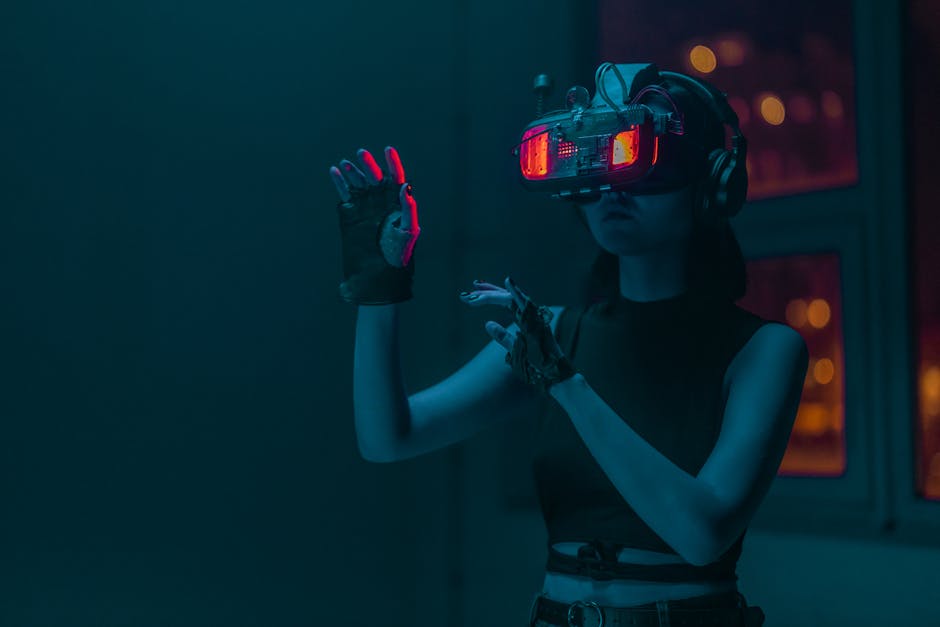
| Communicates information without breaking immersion | Use world‑space UI panels that can be reached by hand or gaze | Each component should be configurable, allowing teams to swap or upgrade parts without rewriting the entire system. ### 5. Performance Management Maintaining a stable 90 fps is non‑negotiable.
Here are practical ways to keep performance in check: -
Level of Detail (LOD) – Switch to lower‑poly models when objects move away from the player. - Occlusion Culling – Skip rendering objects hidden behind others. - Batching – Combine draw calls for static geometry to reduce GPU overhead. - Fixed‑Time Physics – Run physics at a fixed step to avoid jitter. - Asynchronous Loading– Stream assets in the background while the player is engaged elsewhere. Profiling tools built into Unity and Unreal (Profiler, Stat, and the Visual Studio Performance Profiler) reveal hotspots early, allowing developers to address issues before they become critical.
### 6. Interaction Design Interaction is the primary vehicle for immersion. The following guidelines help create clear, satisfying mechanics: -
Direct Manipulation – Let players grab, rotate, and move objects with minimal friction. - Tool‑Based Interactions – Provide clear visual cues when an object can be used, such as a subtle glow or a brief highlight. - Feedback Loops – Combine haptic, visual, and auditory responses to confirm actions. - Spatial Consistency– Keep object placement logical; avoid floating items that defy physics. Testing with real users early in the cycle uncovers hidden usability issues that may not surface in internal reviews. ### 7. Narrative Integration Storytelling in VR differs from traditional media.
The player is an active participant rather than a passive observer. To weave narrative into gameplay: -
Environmental Storytelling – Use visual details, audio logs, and scattered notes to reveal backstory. - Branching Paths – Offer choices that feel meaningful and visibly alter the world. - Player‑Driven Discovery – Encourage exploration by hiding clues in less obvious places. - Non‑Linear Dialogue– Allow conversations to unfold naturally, letting players pause, look around, or examine objects between exchanges. These techniques keep the narrative fluid and allow the player to shape their own experience. ### 8. Testing and Feedback Loops A rigorous testing strategy ensures that the final product meets comfort and quality standards: 1.

– Release incremental builds frequently, integrating feedback before moving to the next milestone. Transparency with testers—sharing what you’re looking for and how they can help—fosters a collaborative environment and speeds discovery. ### 9. Publishing and Distribution Once the game meets all technical and experiential benchmarks, prepare for launch: -
Certification – Follow headset‑specific guidelines (e.g., Oculus Certification Checklist, SteamVR Compatibility). - Store Assets – Create compelling screenshots, trailers, and descriptions that emphasize the immersive qualities of the game. - Post‑Launch Support– Plan for updates that fix bugs, add content, and respond to community feedback. A well‑structured release strategy maximizes visibility and ensures a smooth player experience from day one. ### 10. Future Trends and Considerations The VR industry evolves rapidly.
Emerging technologies that will shape future development include: -
Eye‑Tracking – Enhances interaction by allowing gaze‑based selection and attention‑aware UI. - Full‑Body Tracking – Extends natural movement to the entire body, increasing presence. - Cloud Rendering – Offloads heavy graphics processing to remote servers, reducing headset weight. - Mixed Reality Integration – Blends virtual objects with the real world, opening new gameplay possibilities. Staying informed about these developments allows teams to incorporate new capabilities as they mature, keeping their games competitive and fresh. ### 11. Conclusion Creating a VR game that captivates players demands a clear focus on presence, cohesion, and comfort. By selecting an engine that supports cross‑platform deployment, building a lightweight prototype, and integrating configurable core components, developers can keep the project manageable. Performance remains a cornerstone; disciplined profiling, LOD management, and efficient physics are critical. Interaction design, narrative weaving, and rigorous testing complete the cycle, ensuring that the final product delivers a smooth, memorable experience. The journey from concept to polished game is iterative and collaborative. By prioritizing player experience over flashy graphics, developers can craft worlds that feel as real as the space they inhabit.Frequently Asked Questions About Virtual Reality Game Development Toolkit
What is Virtual Reality Game Development Toolkit?
Virtual Reality Game Development Toolkit is best understood as a practical, results-focused subject. Start with the fundamentals covered , apply them consistently, and measure your progress with real data over time.
How do beginners get started with Virtual Reality Game Development Toolkit?
Beginners should focus on one clear goal, follow a proven step-by-step routine, avoid the common beginner mistakes listed above, and build a simple daily or weekly habit around virtual reality game development toolkit.
What results can you realistically expect?
With consistent effort, most people see early progress within a few weeks. The key is choosing the right strategy, tracking what actually works, and improving steadily instead of chasing quick fixes.
Comments
Post a Comment