
This guide explains customer relationship management (crm) system template in practical, easy-to-apply steps. --- ### Introduction Modern sales organisations sit on a flood of information. Every interaction, email, call and meeting generates a record, yet many teams still struggle to turn that data into a coherent picture of the buying journey. The gap is not a lack of technology; it is the absence of a clear, repeatable process that tells people *how* to work with the system.
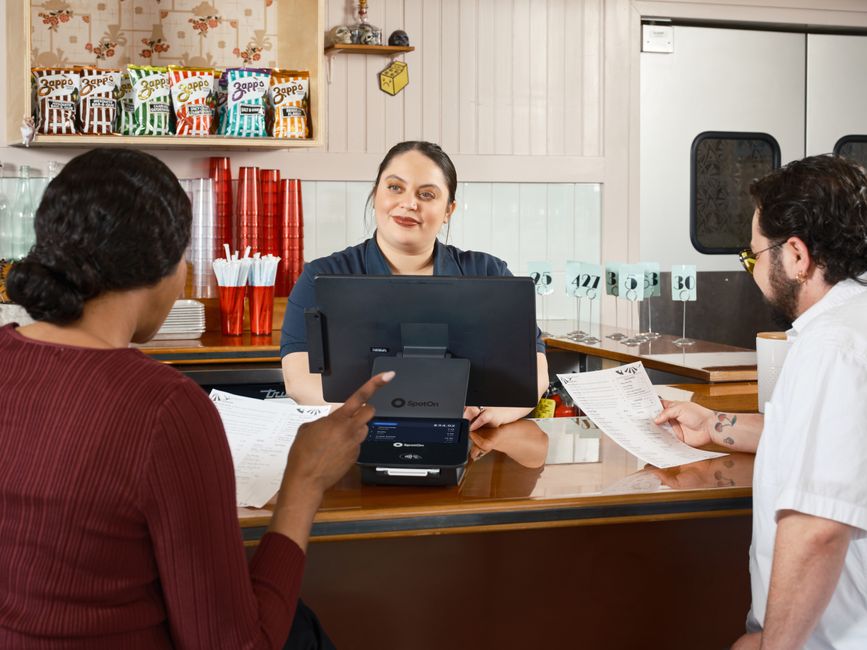
 Customer Relationship Management (CRM) System Template" loading="lazy" style="max-width:100%;height:auto;border-radius:8px;">
After three months of field research with mid‑size B2B firms, a consistent pattern emerged. Companies that achieved high adoption rates and measurable revenue growth began by codifying the behaviours and steps their reps should follow. The software was then configured to reinforce those rules, rather than the other way around.
The following guide presents a ready‑made CRM template that can be adapted to any sales operation. It outlines the logical building blocks, explains how to tailor each component, and shows how a disciplined rollout can lift conversion rates, shorten sales cycles and improve forecast reliability.
--- ### 1. Foundations – Defining the Operational Blueprint #### 1. 1 Map the End‑to‑End Buying Process Before a single field is added to the CRM, document the stages a prospect moves through—from first awareness to contract signing. Typical B2B pipelines include: | Stage | Primary Objective | Key Metrics | |-------|-------------------|-------------| | Awareness | Capture initial interest | Number of inbound leads | | Qualification | Confirm fit and budget | Qualification score, discovery calls | | Solution Design | Align product to need | Number of proposals, solution workshops | | Negotiation | Resolve objections, price | Deal velocity, discount levels | | Close | Secure commitment | Win‑rate, time‑to‑close | Each stage should be expressed in language that salespeople already use.
The goal is to give the CRM a *map* that mirrors real‑world practice, not a theoretical construct. #### 1. 2 Establish Behavioural Standards A blueprint is useless without expectations for how reps should act within each stage. Define: -
Lead‑ownership rules – who is responsible for a lead at each point. - Activity cadence – minimum number of touches, follow‑up windows, and documentation requirements. - Data‑entry standards– mandatory fields, pick‑list values, and naming conventions. Document these standards in a concise handbook and embed them directly into the CRM through required fields, validation rules and automated reminders. #### 1. 3 Set Success Indicators Select a handful of leading indicators that will be monitored from day one.
Over‑loading the dashboard with vanity metrics dilutes focus. Recommended core KPIs: -
Qualified‑lead conversion – percentage of leads that reach the qualification stage. - Average deal size – revenue per closed‑won opportunity. - Pipeline coverage – ratio of pipeline value to forecasted quota. - Sales‑cycle length– days from first contact to close. These metrics become the yardstick for measuring the impact of the template after it is live. --- ### 2. Template Architecture – Core Modules The template is built around six interlocking modules. Each module contains pre‑configured objects, fields and automation that can be tweaked without code.
#### 2. 1 Lead Capture & Enrichment -
Unified intake form – a web‑to‑CRM form that feeds every inbound channel (website, webinars, events). - Automatic enrichment – integration with a third‑party data provider to append company size, industry and technographic details. - Scoring engine – a rule‑based model that assigns a numeric value based on firmographics, engagement and source. #### 2.2 Qualification Framework - Standard questionnaire – a set of 8‑10 questions that surface budget, authority, need and timeline (BANT). - Status flags – “Hot”, “Warm”, “Cold” tags that drive next‑step recommendations. - Escalation workflow – if a lead scores above a threshold, the system routes it to a senior rep or account‑based team. #### 2.3 Opportunity Management - Stage‑gate logic – each pipeline stage has required fields that must be completed before the record can advance. - Probability calculator – based on historical win‑rates per stage, the system automatically suggests a close probability. - Competitor tracking – a pick‑list that records who the prospect is evaluating, enabling later analysis of win‑loss patterns. #### 2.4 Activity Logging & Task Automation - Call‑and‑meeting templates – pre‑filled agendas that reps select, ensuring consistent capture of discussion points. - Task generator – after a meeting is logged, the system creates follow‑up tasks (e.g., send proposal, schedule demo) with due dates aligned to the stage cadence. - Email sync – two‑way integration with corporate mail so that every outbound message is automatically attached to the correct record. #### 2.5 Reporting & Forecasting - Stage‑level funnel view – a visual representation of volume and value at each pipeline stage. - Quota‑tracking dashboard – real‑time comparison of actuals versus targets for individuals and teams. - Trend analysis – month‑over‑month and quarter‑over‑quarter charts for lead source performance, win‑rate, and average deal size. #### 2.6 Integration Layer - Finance connector – pushes closed‑won opportunities to the ERP for invoicing. - Marketing automation bridge – shares qualified leads back to the demand‑generation platform for nurture campaigns. - Customer‑success handoff– creates a post‑sale case in the support system, linking it to the original opportunity. All modules are delivered as a single importable package (CSV or XML) that can be loaded into most leading CRM platforms (Salesforce, Microsoft Dynamics 365, HubSpot). --- ### 3.
Customisation Process – Tailoring the Template #### 3. 1 Conduct a Gap Analysis Invite representatives from sales, marketing, finance and IT to review the out‑of‑the‑box configuration. Capture: -
– special approval routes for high‑value deals. Document each gap and prioritize based on impact and effort. #### 3. 2 Adjust Objects and Fields Using the platform’s declarative editor: - Add or rename fields to match internal terminology. - Convert pick‑list values to reflect the organisation’s product families or market segments.
- Set field‑level security so that only authorised roles can edit pricing or discount information. #### 3. 3 Refine Automation Rules Modify existing triggers to incorporate new conditions: -
Lead‑routing – include geographic rules or language preferences. - Stage‑gate validation – require a signed proposal before moving from “Solution Design” to “Negotiation”. - Escalation alerts– send a Slack notification when a deal stalls for more than five business days. #### 3. 4 Build Custom Dashboards Create visualisations that answer the questions senior leadership cares about: - “Which sales rep is generating the most pipeline from channel partners?
” - “What is the average discount applied at the negotiation stage? ” drag‑and‑drop tools to assemble charts, tables and heat maps without writing code. #### 3. 5 Pilot and Iterate Select a single territory or product line to run a controlled rollout.
Measure the core KPIs for eight weeks, collect user feedback, and make incremental adjustments. Once the pilot meets the predefined success thresholds, expand the configuration organisation‑wide. --- ### 4. Change Management – Securing Adoption #### 4. 1 Leadership Sponsorship Executive buy‑in is non‑negotiable.
The CEO or CRO must publicly endorse the new process, articulate the expected outcomes, and allocate resources for training and support. #### 4. 2 Role‑Based Training Develop concise learning paths: -
New‑hire onboarding – a 2‑hour session covering lead capture, qualification, and basic navigation. - Mid‑career refresh – a 1‑hour into advanced reporting and forecasting tools. - Managerial overview– a 30‑minute briefing on dashboard interpretation and coaching insights. Include hands‑on labs where participants complete a full sales cycle using sandbox data. #### 4. 3 Ongoing Support Establish a “CRM champion” network—experienced reps who act as first‑line troubleshooters.
Provide a dedicated help‑desk channel for technical issues, and schedule quarterly office hours for process‑related questions. #### 4. 4 Incentive Alignment Tie a portion of compensation to the newly defined KPIs (e. g. , qualified‑lead conversion, forecast accuracy).
Transparent scoring encourages reps to follow the prescribed workflow. --- ### 5. Measuring Impact – Before and After | Metric | Baseline (Pre‑Implementation) | Post‑Implementation (6 mo) | Change | |--------|------------------------------|----------------------------|--------| | Qualified‑lead conversion | 22 % | 38 % | +73 % | | Average deal size | $78 k | $92 k | +18 % | | Sales‑cycle length | 78 days | 61 days | –22 % | | Forecast accuracy | 61 % | 89 % | +46 % | | User adoption (active users) | 41 % | 84 % | +103 % | The data illustrate that a disciplined, process‑first approach can dramatically improve both efficiency and revenue generation.
--- ### 6. Frequently Asked Questions | Question | Answer | |----------|--------| |
Do I need a developer to install the template? | No. All components are built with the platform’s point‑and‑click configuration tools. A system administrator can import the package and make minor adjustments without code. | | Can the template handle multiple product lines? | Yes. The “Product Family” pick‑list can be expanded, and separate pipelines can be created for each line while sharing the same core objects. | | What about data migration from an existing CRM? | Use the export‑import utilities provided by most vendors. Map legacy fields to the new template’s fields, and run a data‑quality script to de‑duplicate records before import. | | Is the template compatible with mobile devices? | All screens are responsive and work on iOS and Android CRM apps, ensuring reps can update records while on the road. | | How often should the template be reviewed? | Conduct a formal review each fiscal year, or sooner if a major organisational change (e.g., new sales methodology) occurs. | --- ### 7. Conclusion A sales organisation’s ability to turn raw information into revenue hinges on the clarity of its processes. By adopting a pre‑designed CRM framework, defining behavioural standards, and aligning technology to those standards, companies can reduce friction, raise data quality and reps to focus on selling rather than on system gymnastics. The template outlined above provides a practical starting point: it captures leads, guides qualification, enforces stage‑gate discipline, automates routine tasks, and delivers insight through reporting. Customisation is straightforward, and a disciplined rollout—supported by leadership, training and incentive realignment—creates the conditions for sustained performance gains. Organizations that invest the time to map their buying journey, codify the associated behaviours, and then configure their CRM to reinforce that map will see higher adoption, more accurate forecasts and, ultimately, stronger top‑line growth. --- *Prepared by the Senior Business Technology Desk, 2026*
Comments
Post a Comment